💡 Recommended Prerequisites
To get the most out of this article, consider reading these foundational topics first:
When you’re diving into JavaScript, you inevitably hit objects and think, “What exactly is this thing?” I remember feeling completely overwhelmed when I first encountered objects—I thought they were just containers for data. But after working on real projects, I realized objects are the backbone of JavaScript and the foundation of everything we build.
In this article, I’ll walk you through JavaScript objects from basic concepts to advanced patterns like the this keyword and method chaining. We’ll cover everything from object literals to copying strategies and destructuring, with practical code examples you can use immediately in your projects.
You’ll discover why objects are essential for clean, maintainable code and how mastering them will transform the way you write JavaScript. Let’s turn object confusion into object confidence!
TL;DR: JavaScript Objects for Beginners - Quick Answer
JavaScript objects are collections of key-value pairs that store related data and functionality together.
For beginners, the 5 essential concepts to master are:
- Object creation methods (literal vs constructor)
- The ’this’ keyword for context and method access
- Object destructuring for clean, readable code
- Shallow vs deep copying to avoid reference bugs
- Method chaining patterns for fluent APIs
These fundamentals will help you write cleaner, more maintainable JavaScript code.
Why JavaScript Objects Matter for Your Coding Journey
Picture this: You’re building your first web application, and you need to manage user data, product information, and application settings. Without objects, you’d end up with dozens of scattered variables that are impossible to organize and maintain.
I remember when I first started learning JavaScript—I was storing user information like this:
1
2
3
4
| let userName = "Sarah";
let userEmail = "sarah@example.com";
let userAge = 28;
let userRole = "developer";
|
This approach became a nightmare as my applications grew. That’s when I discovered JavaScript objects, and everything changed.
The solution? JavaScript objects provide a clean, organized way to group related data and functionality. By the end of this guide, you’ll understand how to use objects to write professional, maintainable code that any developer would be proud of.
JavaScript Objects for Beginners: What You Need to Know
What Are JavaScript Objects Really?
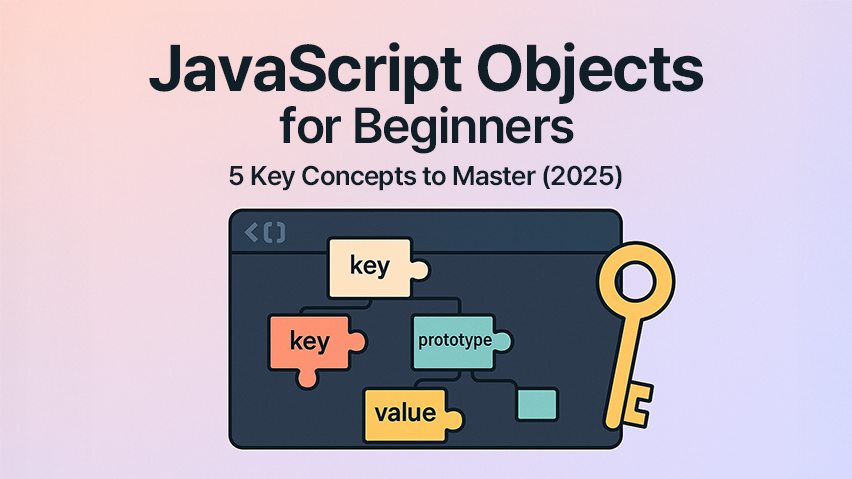
JavaScript objects are containers that store related data and functions together. Think of them as digital filing cabinets where each folder (property) has a label (key) and contains information (value).
 1
 2
 3
 4
 5
 6
 7
 8
 9
10
11
12
13
14
15
16
| // Instead of scattered variables
let productName = "MacBook Pro";
let productPrice = 1299;
let productInStock = true;
// Use objects for clean organization
const product = {
name: "MacBook Pro",
price: 1299,
inStock: true,
// Methods (functions) can live inside objects too
displayInfo() {
return `${this.name}: $${this.price}`;
}
};
|
Two Ways to Create JavaScript Objects
| Method | Syntax | Best For |
|---|
| Object Literal | const obj = {} | Simple objects, quick creation |
| Constructor Function | const obj = new Object() | Dynamic object creation |
Object Literal Syntax (Recommended for Beginners):
1
2
3
4
5
6
7
8
9
| const student = {
name: "Alex",
grade: "A",
subjects: ["Math", "Science"],
getGPA() {
return this.grade === "A" ? 4.0 : 3.0;
}
};
|
Constructor Approach:
1
2
3
4
| const student = new Object();
student.name = "Alex";
student.grade = "A";
student.subjects = ["Math", "Science"];
|
Mastering the This Keyword in JavaScript Objects
This Keyword Explained: The Context Problem
The this keyword is JavaScript’s way of saying “the object I’m currently inside of.” For beginners, this concept can be confusing, but it’s crucial for writing object methods.
❌ Common This Keyword Mistakes
 1
 2
 3
 4
 5
 6
 7
 8
 9
10
11
| const calculator = {
value: 0,
add(number) {
// Wrong: 'value' is undefined
value += number;
return value;
}
};
calculator.add(5); // Error: value is not defined
|
✅ Correct This Keyword Usage
 1
 2
 3
 4
 5
 6
 7
 8
 9
10
11
12
13
14
15
16
17
18
19
20
21
22
23
| const calculator = {
value: 0,
add(number) {
// Correct: 'this.value' refers to the object's value property
this.value += number;
return this.value;
},
subtract(number) {
this.value -= number;
return this.value;
},
reset() {
this.value = 0;
return this.value;
}
};
console.log(calculator.add(10)); // 10
console.log(calculator.subtract(3)); // 7
console.log(calculator.reset()); // 0
|
This Keyword in Real-World Example
 1
 2
 3
 4
 5
 6
 7
 8
 9
10
11
12
13
14
15
16
17
18
19
20
21
22
23
24
| const bankAccount = {
accountHolder: "John Doe",
balance: 1000,
deposit(amount) {
this.balance += amount;
return `${this.accountHolder} deposited $${amount}. New balance: $${this.balance}`;
},
withdraw(amount) {
if (amount <= this.balance) {
this.balance -= amount;
return `Withdrawal successful. Remaining balance: $${this.balance}`;
}
return "Insufficient funds";
},
getAccountInfo() {
return `Account holder: ${this.accountHolder}, Balance: $${this.balance}`;
}
};
console.log(bankAccount.deposit(200));
// "John Doe deposited $200. New balance: $1200"
|
Object Destructuring: Clean Code Made Simple
What is Object Destructuring?
Object destructuring is a clean way to extract multiple properties from an object into separate variables. It’s like unpacking a suitcase—you take out what you need.
❌ Before Destructuring (Repetitive Code)
 1
 2
 3
 4
 5
 6
 7
 8
 9
10
11
| const user = {
name: "Emma",
email: "emma@example.com",
age: 25,
city: "New York"
};
// Repetitive and verbose
const name = user.name;
const email = user.email;
const age = user.age;
|
✅ With Destructuring (Clean & Concise)
 1
 2
 3
 4
 5
 6
 7
 8
 9
10
11
12
13
| const user = {
name: "Emma",
email: "emma@example.com",
age: 25,
city: "New York"
};
// Clean and readable
const { name, email, age } = user;
console.log(name); // "Emma"
console.log(email); // "emma@example.com"
console.log(age); // 25
|
Advanced Destructuring Techniques
Renaming Variables:
1
2
3
| const { name: fullName, email: contactEmail } = user;
console.log(fullName); // "Emma"
console.log(contactEmail); // "emma@example.com"
|
Default Values:
1
2
| const { name, age, country = "USA" } = user;
console.log(country); // "USA" (default value)
|
Nested Object Destructuring:
 1
 2
 3
 4
 5
 6
 7
 8
 9
10
11
12
13
14
15
16
| const employee = {
name: "Sarah",
position: {
title: "Senior Developer",
department: "Engineering",
level: 5
}
};
const {
name,
position: { title, department }
} = employee;
console.log(title); // "Senior Developer"
console.log(department); // "Engineering"
|
Shallow vs Deep Copy: Avoiding Common Beginner Mistakes
The Object Reference Problem
Understanding how JavaScript handles object copying is crucial for preventing bugs in your code.
❌ The Assignment Trap
1
2
3
4
5
6
7
8
| const originalUser = { name: "Tom", age: 30 };
const copiedUser = originalUser; // This is NOT a copy!
copiedUser.age = 31;
console.log(originalUser.age); // 31 (changed!)
console.log(copiedUser.age); // 31
// Both variables point to the same object
|
✅ Shallow Copy Methods
Method 1: Spread Operator (Recommended)
1
2
3
4
5
6
7
| const originalUser = { name: "Tom", age: 30 };
const shallowCopy = { ...originalUser };
shallowCopy.age = 31;
console.log(originalUser.age); // 30 (unchanged)
console.log(shallowCopy.age); // 31
|
Method 2: Object.assign()
1
| const shallowCopy = Object.assign({}, originalUser);
|
The Shallow Copy Limitation
 1
 2
 3
 4
 5
 6
 7
 8
 9
10
11
12
13
14
| const user = {
name: "Alice",
preferences: {
theme: "dark",
language: "English"
}
};
const shallowCopy = { ...user };
shallowCopy.preferences.theme = "light";
console.log(user.preferences.theme); // "light" (changed!)
console.log(shallowCopy.preferences.theme); // "light"
// Nested objects are still referenced!
|
✅ Deep Copy Solutions
Method 1: JSON Methods (Simple Objects)
1
2
3
4
5
| const deepCopy = JSON.parse(JSON.stringify(user));
deepCopy.preferences.theme = "light";
console.log(user.preferences.theme); // "dark" (unchanged)
console.log(deepCopy.preferences.theme); // "light"
|
Method 2: Custom Deep Copy Function
 1
 2
 3
 4
 5
 6
 7
 8
 9
10
11
12
13
14
15
| function deepCopy(obj) {
if (obj === null || typeof obj !== "object") return obj;
if (obj instanceof Date) return new Date(obj);
if (obj instanceof Array) return obj.map(item => deepCopy(item));
const copiedObj = {};
for (let key in obj) {
if (obj.hasOwnProperty(key)) {
copiedObj[key] = deepCopy(obj[key]);
}
}
return copiedObj;
}
const deepCopyUser = deepCopy(user);
|
When to Use Which Copy Method
| Scenario | Method | Use Case |
|---|
| Simple objects | Spread operator {...obj} | Updating user profiles |
| Nested objects | JSON.parse(JSON.stringify()) | Configuration objects |
| Objects with functions | Custom deep copy | Complex data structures |
Object Method Chaining for Cleaner Code
Method chaining allows you to call multiple methods in sequence, creating more readable code.
❌ Without Method Chaining
 1
 2
 3
 4
 5
 6
 7
 8
 9
10
11
12
13
14
15
16
17
18
19
20
21
22
23
| const taskManager = {
tasks: [],
addTask(task) {
this.tasks.push(task);
},
markComplete(index) {
if (this.tasks[index]) {
this.tasks[index].completed = true;
}
},
getTasks() {
return this.tasks;
}
};
// Verbose and repetitive
taskManager.addTask({ name: "Write blog post", completed: false });
taskManager.addTask({ name: "Review code", completed: false });
taskManager.markComplete(0);
const tasks = taskManager.getTasks();
|
✅ With Method Chaining
 1
 2
 3
 4
 5
 6
 7
 8
 9
10
11
12
13
14
15
16
17
18
19
20
21
22
23
24
25
26
27
28
| const taskManager = {
tasks: [],
addTask(task) {
this.tasks.push(task);
return this; // Return the object for chaining
},
markComplete(index) {
if (this.tasks[index]) {
this.tasks[index].completed = true;
}
return this; // Return the object for chaining
},
getTasks() {
return this.tasks;
}
};
// Clean and fluent
const tasks = taskManager
.addTask({ name: "Write blog post", completed: false })
.addTask({ name: "Review code", completed: false })
.markComplete(0)
.getTasks();
console.log(tasks);
|
Real-World JavaScript Object Examples
1. User Profile Management
 1
 2
 3
 4
 5
 6
 7
 8
 9
10
11
12
13
14
15
16
17
18
19
20
21
22
23
24
25
26
27
28
29
30
31
32
33
34
35
36
37
38
39
40
41
42
| const userProfile = {
// Properties
id: 12345,
username: "coder_sarah",
email: "sarah@example.com",
profilePicture: "avatar.jpg",
preferences: {
theme: "dark",
notifications: true,
language: "English"
},
// Methods
updateEmail(newEmail) {
this.email = newEmail;
return this;
},
toggleNotifications() {
this.preferences.notifications = !this.preferences.notifications;
return this;
},
getDisplayName() {
return `@${this.username}`;
},
exportProfile() {
const { preferences, ...basicInfo } = this;
return {
...basicInfo,
settings: preferences
};
}
};
// Usage
userProfile
.updateEmail("sarah.new@example.com")
.toggleNotifications();
console.log(userProfile.getDisplayName()); // "@coder_sarah"
|
2. E-commerce Product Manager
 1
 2
 3
 4
 5
 6
 7
 8
 9
10
11
12
13
14
15
16
17
18
19
20
21
22
23
24
25
26
27
28
29
30
31
32
33
34
35
36
37
38
39
40
41
42
43
44
45
46
47
48
49
50
51
52
53
54
55
56
57
58
59
60
| const product = {
id: "PROD-001",
name: "Wireless Headphones",
price: 159.99,
category: "Electronics",
inventory: {
stock: 50,
reserved: 5,
available: function() {
return this.stock - this.reserved;
}
},
reviews: [],
// Price management
applyDiscount(percentage) {
this.price = this.price * (1 - percentage / 100);
return this;
},
// Inventory management
updateStock(quantity) {
this.inventory.stock += quantity;
return this;
},
// Review management
addReview(rating, comment) {
this.reviews.push({
rating,
comment,
date: new Date().toISOString()
});
return this;
},
getAverageRating() {
if (this.reviews.length === 0) return 0;
const sum = this.reviews.reduce((acc, review) => acc + review.rating, 0);
return (sum / this.reviews.length).toFixed(1);
},
getProductSummary() {
return {
name: this.name,
price: `$${this.price.toFixed(2)}`,
available: this.inventory.available(),
rating: this.getAverageRating()
};
}
};
// Usage
product
.applyDiscount(15)
.updateStock(10)
.addReview(5, "Excellent sound quality!")
.addReview(4, "Good value for money");
console.log(product.getProductSummary());
|
JavaScript Object Best Practices for Clean Code
1. Use Meaningful Property Names
 1
 2
 3
 4
 5
 6
 7
 8
 9
10
11
12
13
| // ❌ Poor naming
const u = {
n: "John",
a: 25,
e: "john@email.com"
};
// ✅ Clear naming
const user = {
name: "John",
age: 25,
email: "john@email.com"
};
|
 1
 2
 3
 4
 5
 6
 7
 8
 9
10
11
12
13
14
15
16
17
18
19
20
21
22
23
24
25
26
27
| // ✅ Well-organized object
const apiClient = {
// Configuration
baseURL: "https://api.example.com",
timeout: 5000,
// Authentication methods
auth: {
login(credentials) { /* implementation */ },
logout() { /* implementation */ },
refreshToken() { /* implementation */ }
},
// HTTP methods
http: {
get(endpoint) { /* implementation */ },
post(endpoint, data) { /* implementation */ },
put(endpoint, data) { /* implementation */ },
delete(endpoint) { /* implementation */ }
},
// Utility methods
utils: {
formatResponse(data) { /* implementation */ },
handleError(error) { /* implementation */ }
}
};
|
3. Use Object Validation
 1
 2
 3
 4
 5
 6
 7
 8
 9
10
11
12
13
14
15
16
17
18
19
20
21
22
23
24
25
26
27
28
29
30
31
32
33
34
35
36
37
38
39
40
41
42
| const createUser = (userData) => {
// Destructuring with validation
const {
name,
email,
age = 18, // default value
role = "user"
} = userData;
// Validation
if (!name || !email) {
throw new Error("Name and email are required");
}
if (age < 13) {
throw new Error("Age must be at least 13");
}
return {
name,
email,
age,
role,
createdAt: new Date().toISOString(),
// Methods
getProfile() {
return `${this.name} (${this.role})`;
},
isAdult() {
return this.age >= 18;
}
};
};
// Usage
const newUser = createUser({
name: "Alice Johnson",
email: "alice@example.com",
age: 28
});
|
Frequently Asked Questions
How do I check if a property exists in a JavaScript object?
Use the hasOwnProperty() method or the in operator:
 1
 2
 3
 4
 5
 6
 7
 8
 9
10
11
12
13
14
15
16
| const user = { name: "John", age: 30 };
// Method 1: hasOwnProperty
if (user.hasOwnProperty('name')) {
console.log("Name exists");
}
// Method 2: in operator
if ('age' in user) {
console.log("Age exists");
}
// Method 3: undefined check
if (user.email !== undefined) {
console.log("Email exists");
}
|
What’s the difference between dot notation and bracket notation?
- Dot notation: Use for known, valid property names
- Bracket notation: Use for dynamic properties or names with spaces
 1
 2
 3
 4
 5
 6
 7
 8
 9
10
11
| const obj = { "user name": "John", age: 30 };
// Dot notation (clean, preferred)
console.log(obj.age);
// Bracket notation (necessary for special characters)
console.log(obj["user name"]);
// Dynamic property access
const property = "age";
console.log(obj[property]); // 30
|
How do I loop through object properties?
 1
 2
 3
 4
 5
 6
 7
 8
 9
10
11
12
13
14
15
16
| const user = { name: "John", age: 30, city: "New York" };
// Method 1: for...in loop
for (let key in user) {
console.log(`${key}: ${user[key]}`);
}
// Method 2: Object.keys()
Object.keys(user).forEach(key => {
console.log(`${key}: ${user[key]}`);
});
// Method 3: Object.entries()
Object.entries(user).forEach(([key, value]) => {
console.log(`${key}: ${value}`);
});
|
When should I use objects vs arrays?
| Use Objects When | Use Arrays When |
|---|
| You need key-value pairs | You need ordered lists |
| Property names matter | Order/index matters |
| Different data types per property | Similar data types |
| You need named access | You need numerical indexing |
Prerequisites for Learning JavaScript Objects
Before diving deeper into objects, make sure you’re comfortable with:
Basic JavaScript Fundamentals
- Variables and Data Types: Understanding
let, const, and basic data types - Functions: How to create and call functions
- Arrays: Basic array operations and methods
- Conditional Statements:
if/else and comparison operators
Quick Review Example:
 1
 2
 3
 4
 5
 6
 7
 8
 9
10
11
12
13
14
15
16
| // Variables
const name = "John";
let age = 25;
// Functions
function greet(person) {
return `Hello, ${person}!`;
}
// Arrays
const fruits = ["apple", "banana", "orange"];
// Conditionals
if (age >= 18) {
console.log("Adult");
}
|
Key Takeaways: JavaScript Objects for Beginners
- Objects organize related data and functionality together using key-value pairs.
- The
this keyword refers to the object context and is essential for object method. - Object destructuring creates cleaner code by extracting multiple properties at once.
- Shallow copying (
{...obj}) works for simple objects, but deep copying is needed for nested objects. - Method chaining improves code readability by returning
this from object methods. - Meaningful naming and organization make objects easier to understand and maintain.
- Objects are perfect for modeling real-world entities like users, products, and configurations.
What’s Next?
Now that you’ve mastered JavaScript objects for beginners, you’re ready to explore:
- JavaScript Classes and Prototypes - Advanced object creation patterns
- Async JavaScript with Objects - Handling API data and promises
- JavaScript Modules - Organizing objects across files
- React.js Fundamentals - Using objects in modern web frameworks
Ready to take your JavaScript skills to the next level? Start building real projects with these object fundamentals! 🚀